Customers may select products using one of the following methods:
Select a suitable promotion directly from the Home page.
Select a product from the Menu bar.
Select “Promotions” to view details of the available promotional programs, and then choose the relevant products.
.png)
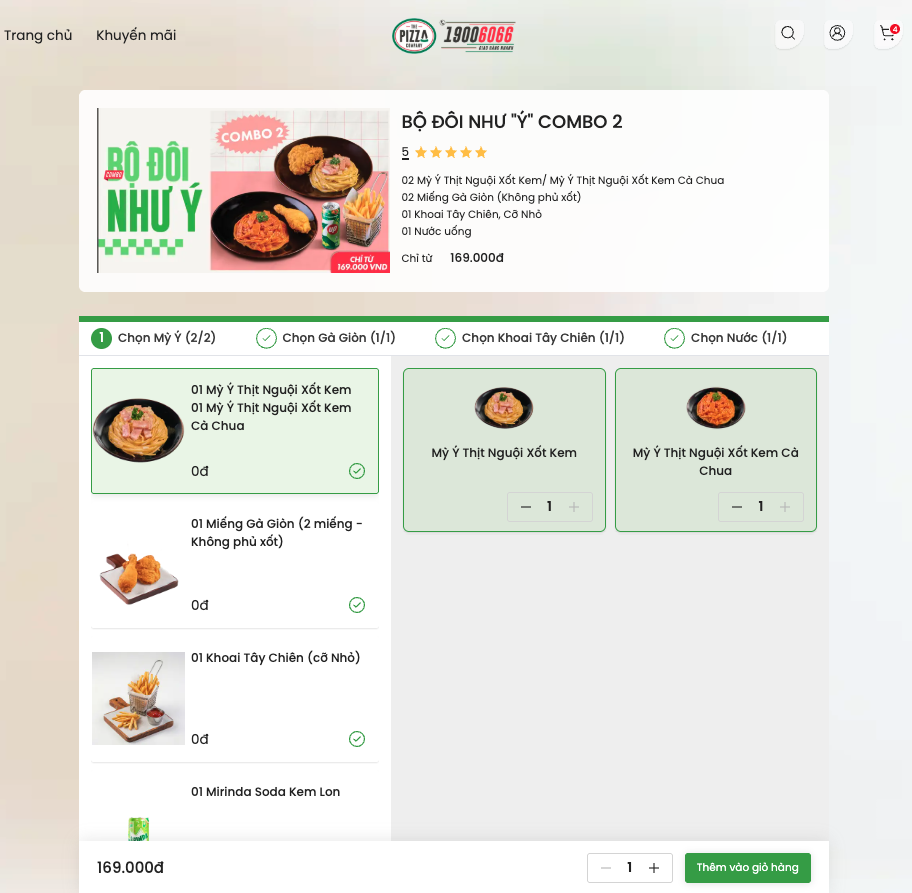
Select the promotion you wish to use.
Select the products included in the promotion.
Select “Add to Cart” to add the products to your Shopping Cart.
Select a product from the Menu bar on the Home page.
Choose the desired product.
Select “Add to Cart” to add the product to your Shopping Cart.
.png)
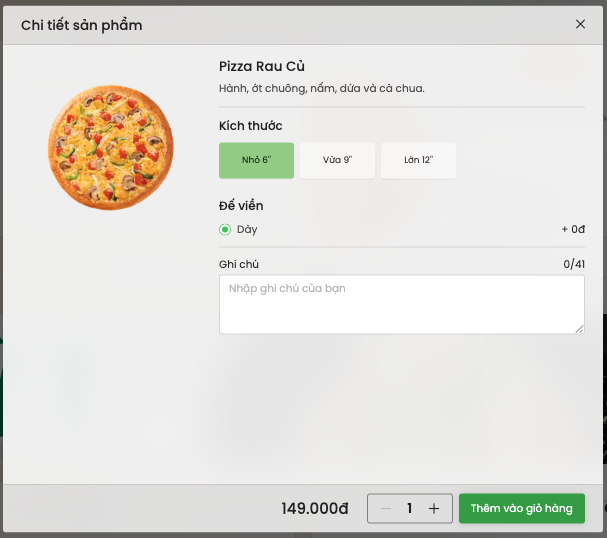
This step applies to pizzas and other products that can be customized according to the customer’s preferences.
Customers may select:
Product size.
Crust type.
Toppings or filling.
Available add-ons.
Special instructions.
After completing the selections, choose “Add to Cart” to add the product to your Shopping Cart.
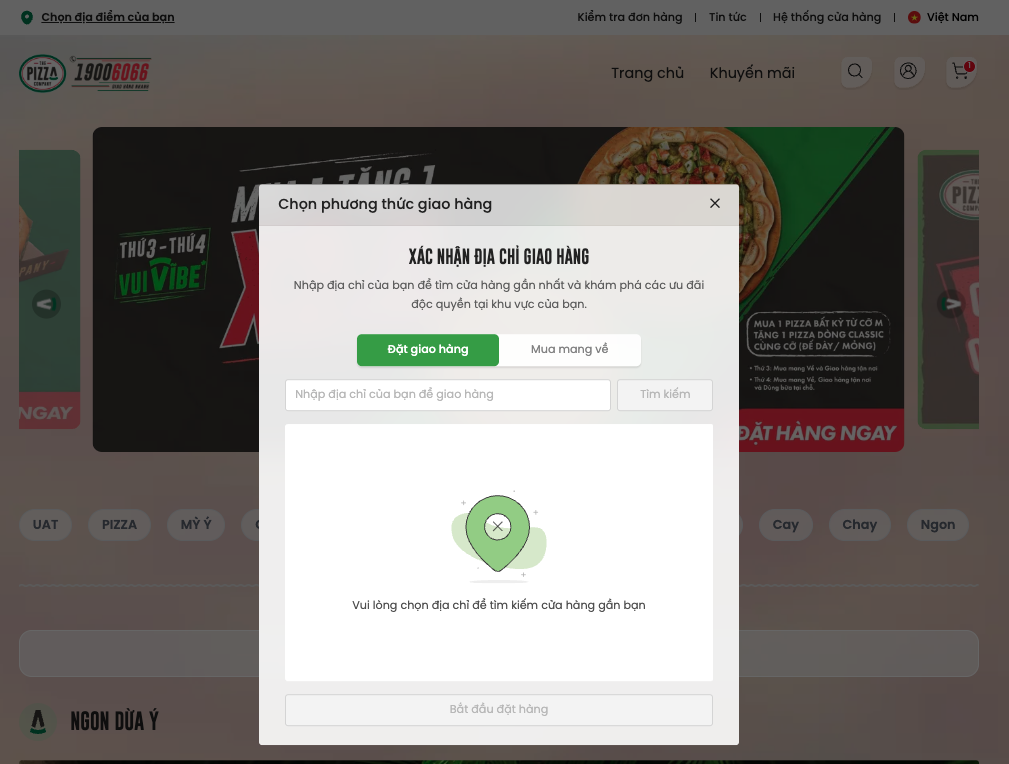
Select “Choose Your Location”.
Select “Delivery” to have the order delivered to your address, or select “Pickup” to collect the order from a The Pizza Company Vietnam restaurant.
Enter the delivery address.
Select the appropriate location from the options displayed by the system.
Enter an address or area.
Select the preferred restaurant from the list displayed by the system.
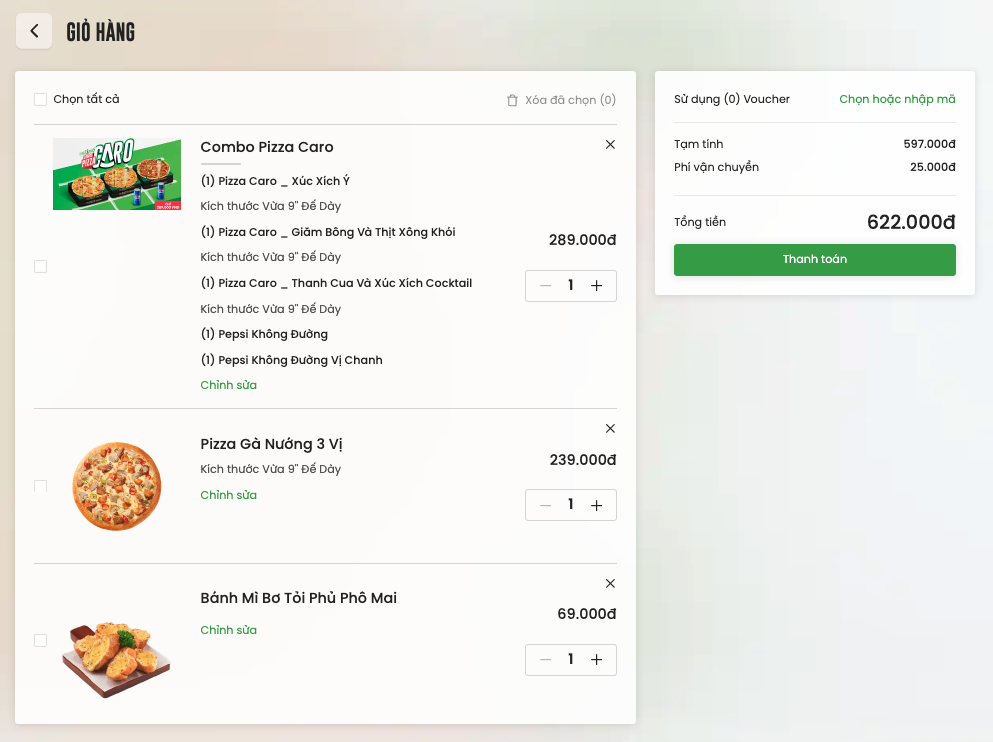
In the Shopping Cart, customers may perform the following actions:
Add more products by selecting “Back to Home”, finding the desired products, and adding them to the cart.
Adjust product quantities by selecting the “+” or “−” button next to each product.
Remove a product by selecting the “×” icon next to that product.
Enter a voucher or promotional code, if available, to receive the applicable discount subject to the conditions of the code.
Select “Checkout” to continue to the next step.
Customers may choose:
“As Soon as Possible” for the restaurant to process the order immediately after confirmation.
“Schedule Time” to select a preferred delivery or pickup time.
Enter the required customer information.
If placing an order for another person, select “Order for Someone Else” and enter the recipient’s information.
Enter value-added tax invoice information if an invoice is required.
Select the preferred payment method.
Review the order details and total amount.
To make changes, select “Edit” to return to the Shopping Cart.
Review the Terms and Conditions and confirm acceptance.
For Cash on Delivery payment, select “Pay” to confirm the order.
After the order has been successfully placed, the system will provide an order number.
For online payment, select “Pay” to be redirected to the MoMo or Sacombank payment gateway.
Customers must complete the payment through the partner’s payment gateway. Once the order and payment have been successfully completed, the system will provide an order number.
.png)
After completing the payment information and confirming the order, customers will receive a successful order notification together with an order number.
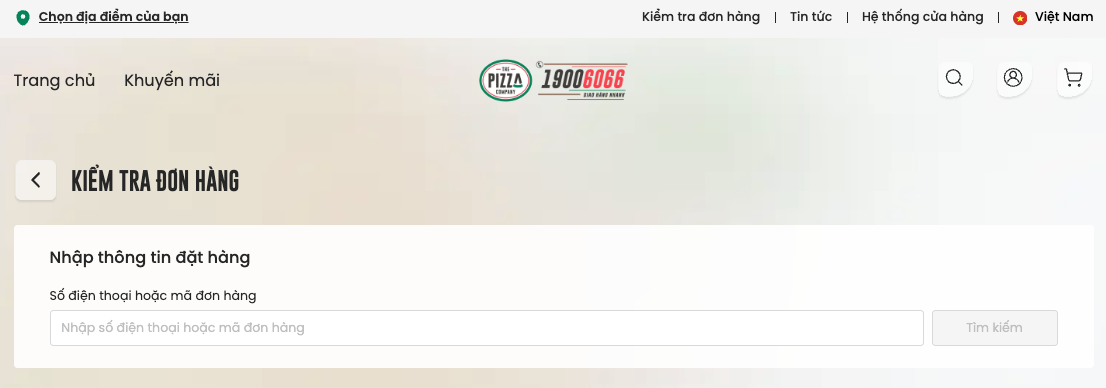
The order number may be used to check the order status through:
Ordering Hotline: 1900 6066.
Customer Service Hotline: 1900 633 606.
Call charge: VND 1,000 per minute.
.jpg)
The designated nearest restaurant will begin preparing the products only after the order has been successfully confirmed.
The minimum delivery time is 30 minutes from the time the order is successfully confirmed.
After receiving the order number, customers may select “Track Order” and enter the order number to monitor the order status.